Beginner
Mastering the Physical Controls of the ZR Cinema Camera
The Nikon ZR Cinema Camera is designed with filmmakers in mind, offering intuitive physical controls for quick access to essential functions. This official guide provides a detailed look at key physical controls, organized by their placement on the camera body.
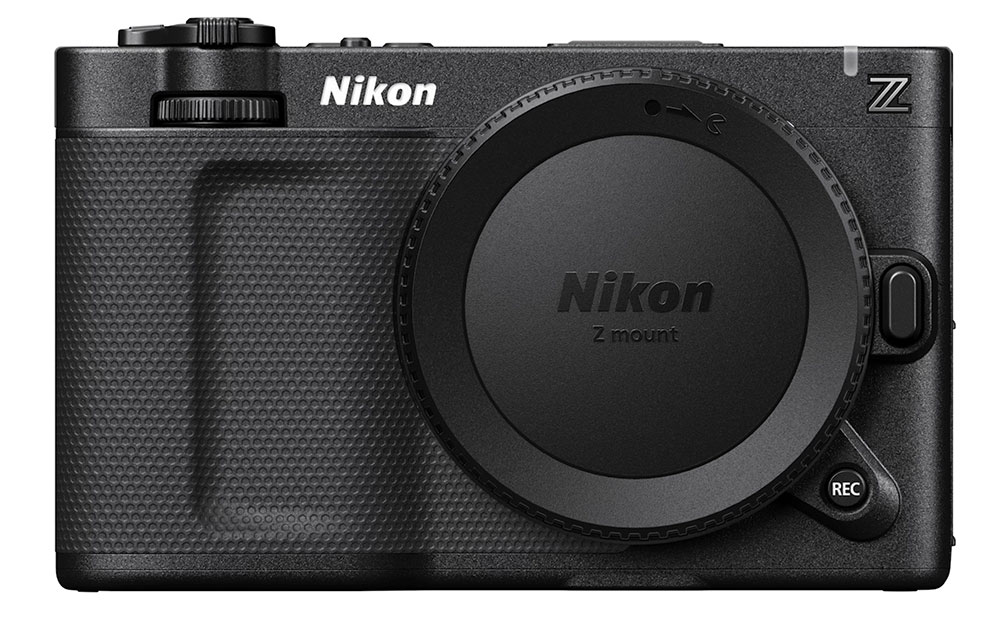
FRONT
Buttons and functions as seen animating from left to right:
- Front Dial
Adjusts exposure settings like aperture or ISO, depending on custom configuration.
- Lens Mount (Z)
The Z-mount supports a wide range of NIKKOR Z, F (with the Nikon FTZ II Mount Adapter), and adaptable third-party lenses, offering flexibility for different shooting needs.
- Front REC Button
A secondary record button for fast access, reprogrammable to various functions.
- Lens Release Button
Press to safely detach the lens when swapping focal lengths during production.
TOP
Buttons and functions as seen animating from left to right:
- Power Button
Turns the camera on or off. Activates a green light when powering on.
- Hot Shoe Mount
Secures and powers accessories, such as the Nikon ME-D10 Shotgun Microphone.
- Custom Buttons (3, 2, 1)
Fully programmable— assigns functions like waveform display and LUT toggle.
- Zoom Lever
Controls motorized zoom lenses, such as the NIKKOR Z 28-135mm f/4 PZ lens.
- Photo / Video Switch
Instantly toggle between still photography and video modes.
- Top REC Button
The primary record button for starting and stopping video capture quickly.
- Back Dial
Can be used for adjusting shutter angle or other customizable exposure settings.
BACK
Buttons and functions as seen animating from top to bottom:
- Multi Selector
Navigate menus, adjust focus points, or control playback with ease.
- Menu Button
Access various settings menus for detailed configuration. A quick press activates the shortcuts i-menu, while a long press activates the full camera settings menu.
- Playback Button
Easily review your footage or stills.
SIDE
Buttons and functions as seen animating from top to bottom:
- Mic Input
Connect an external microphone for higher-quality audio capture. The ZR mic input supports 32-bit float recording when using 3rd party external microphones.
- Headphone Jack
Monitor audio in real time to ensure clean sound during recording. By default, this enables both headphone and remote cord connector functionality. For enhanced headphone compatibility, disable the “auto switch” in the camera’s setup menu.
- HDMI Output
Send a clean video feed to external displays for additional monitoring.
- USB-C Port
Supports data transfer and can provide additional power to the ZR from external power sources such as a V-mount battery—ideal for longer shoots in the field.