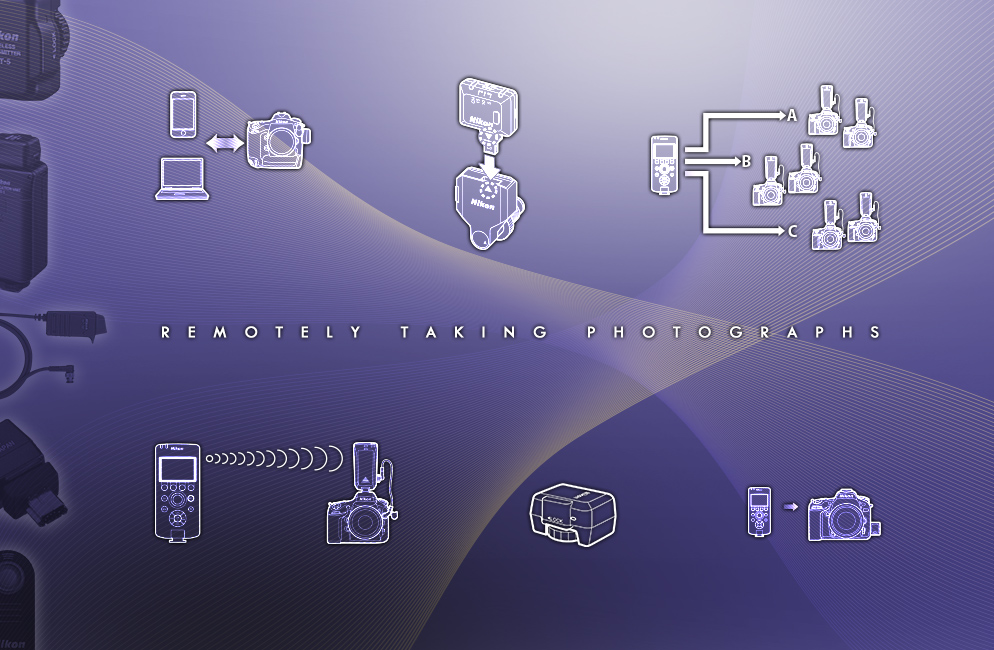
Remotely taking photographs
Flexible wired & wireless remote shooting options expand your photo taking capabilities
Updated March 2026
There is a certain elegance to taking photographs using a wireless option (or a wired option for that matter), even if you’re standing next to the camera—it affords you the ability to connect with your subjects on a more intimate level, as the camera is no longer a barrier between photographer and subject.
Q. How many different ways can you “click” the shutter of your Nikon Z series mirrorless or DSLR camera?
Press the shutter
Set off the shutter using the self-timer
Use a cable release or remote cord such as the 10-pin connector type MC-30/MC-30A or MC-36/MC-36A; or the MC-DC2 remote cord, which utilizes the accessory terminal on select cameras. This tethers you to the camera, but, depending upon the length of the cord, you can be anywhere from 1 - 12 feet from the camera when you take the shot.
- Some Z series mirrorless cameras can utilize the MC-DC3 remote cord which plugs into the 3.5 mm stereo mini-pin headphone/remote jack of a compatible Nikon camera. (Check your camera's manual for compatibility.)
- Use the ML-L7 Bluetooth® remote control to trigger the shutter. (Compatible with select Nikon cameras.) The ML-L7 uses Bluetooth and allows photographers to control various camera functions on the camera as well as trigger the shutter from the remote, so you don't need to disrupt your shooting.
Use the ML-L3 remote to trigger the shutter which uses Infrared (line of sight). The range is 16 feet. (Compatible with select Nikon cameras.)
Use the ML-3 Modulite remote control set, This is also a line of sight option, using Infrared to communicate with the camera. The range is 26 feet. (Compatible with select Nikon cameras.)
Nikon Z series mirrorless cameras and the D780 DSLR can remotely trigger the shutter using Nikon's NX Tether software. Depending upon the camera you're using, you can either connect to a Mac or Windows based-PC tethered or wirelessly.
Go completely wireless. Most of today's Nikon (Z series mirrorless, DSLR and COOLPIX) cameras feature built-in Wi-Fi, simply turn it on and connect to the SnapBridge app. (for compatible smart devices.)
Use the Wireless Remote Controller System (WR-R10, WR-T10, WR-1, WR-A10 or WR-R11a, WR-R11b), which uses radio frequencies (not a line of sight system) to trigger the shutter. (Compatible with many Nikon cameras, check your camera manual to see if your camera can use this system, and which model remote controller to use.)
- Some older Nikon DSLR and COOLPIX cameras were able to connect to smart devices (and their respective apps) via either the WU-1a or WU-1b Wireless Mobile Adapters which then let you to trigger the shutter wirelessly.
- Select cameras that are compatible with the WT-4A, WT-5A, WT-6A or the WT-7A wireless transmitters or the WT-5A wireless transmitter + UT-1 communications unit/UT-1 communications unit), allow you to remotely control the camera from a computer running Camera Control Pro 2 software. (check your camera manual to confirm compatibility.)
So, as you can see, there certainly are a myriad of ways to trip the shutter on your camera to take a photograph, however some are more ideally suited to specific shooting situations than others. Lets look at the different situations you might find yourself shooting in and the best solution for each.
Set the self-timer
Want to take a photograph of a bunch of friends—and get in the shot too? Well, you’ve got a few choices. Set the camera on a tripod, frame up the shot and set the self-timer. Then you just have to quickly get into place before the self-timer trips the shutter.
Use a Bluetooth or Infrared Remote
If running into the scene isn’t for you, don’t worry; you’ve got plenty of other choices. Odds are, if you could have run quick enough to get into the scene by the time the self-timer went off, then the camera is in direct line of sight of your subjects. In this case, you can use either the ML-L3 or ML-3 remotes, which use Infrared (line of sight) to trigger the camera. The range on the ML-L3 is 16 feet from remote to camera, and the range on the ML-3 is 26 feet from remote to camera. The ML-L7 is a remote that uses Bluetooth to communicate with the camera and can remotely trigger the shutter, allowing you to walk into the scene and snap the picture.
Use a remote cord or cable release
Say you’re photographing a young child and want her to see your funny expressions so she’ll laugh. Place the camera on a tripod and use a cable release like the MC-30A to trip the shutter.
Another instance when you might be setting a camera up on a tripod, is in Astrophotography (photographing the night sky). One of the more popular types of Astrophotography is the shooting of time-lapse movies of the stars traveling across the sky. Oftentimes, this is done from sunset to sunrise, showing the vibrant colors of sunset, fading into the dark sky and back to vibrant sunrise again. Newer Nikon DSLRs and the Z system Mirrorless cameras have a built-in Interval Timer which is used to snap images in an orderly manner, every few seconds or so, for however long you want the exposure to be, depending upon the look you’re going for.
In this case, you’ll want to use a simple cable release to trip the camera. Using the cable release means there’s less of a chance of camera shake from your pressing the shutter button.
For cameras that utilize the accessory terminal, the MC-DC2 provides you with a cabled remote firing solution, and it features a lockable shutter release that’s used when shooting in Bulb mode.
If you’re using an camera with a 10-pin connector, you can use the MC-36A remote cord, which incorporates an Interval Timer into its features.
Some newer Z series cameras utilize the MC-DC3 remote cable which connects to the camera via the 3.5mm stereo mini-pin headphone/remote jack. You need to make sure your camera is compatible with the MC-DC3 before using it.
Go wireless
For a photojournalist who’s capturing an important occasion that can’t be repeated, such as the presidential inauguration, you’ll likely be using multiple cameras that have to be set up beforehand, and tripped off during the event—and its likely you won’t be so close to the cameras either. In this instance, the Wireless Remote Controllers (such as the WR-R10 transceiver that’s placed on the camera (the WR-R10 uses an accessory port connector, so if you’re using one of the higher-end DSLRs that instead use the 10-pin connector, you’d also need the WR-A10 Adapter) you’d use and receives the signal from the WR-T10 Wireless Remote Controller transmitter) would be the way to go. Or you could use multiple WR-1 Wireless Remote Controllers. (These units are both transmitter and transceiver in one). The WR-R11a (for accessory port connection) and WR-R11b (for a 10 pin connection) Wireless Remote Controllers replaced the WR-R10 transmitters. They can be triggered by the WR-T10, WR-1; it can also be used on a designated master camera to trigger up to 64 transceiver units. Three radio frequency channels are available for use (5, 10, and 15) to prevent interference when multiple pairings or photographers are shooting in one location.
Because this system uses radio frequencies instead of Infrared, you aren’t limited to the transmitter being in the line of site of the transceiver. The range on this system is also much greater than the line of sight options.
Shoot wirelessly using a smartphone or tablet
There’s another option for today’s connected photographers who want to be able to share their images on the web from the moment the shots are captured. All Nikon Z series cameras, the latest DSLR and COOLPIX models can use the SnapBridge app for compatible smart devices. The app offers remote shooting functionality, letting you conveniently trigger the shutter from your device.
You could also use the Wireless option to set up your camera to shoot timid creatures in a nature setting. When you see your shy subject nearing the frame, get ready—and then snap the shot.
Shoot and send images to a computer for viewing on set
For the pro photographer shooting studio portraits or commercial images, who needs to send images from the camera to a computer or FTP server for viewing by an art director or client on a monitor, you've got a couple of options.
Newer Z series mirrorless cameras have functionality built-in for you to connect to a computer. The NX Tether software allows you to tether via cable or wirelessly to a computer and not only trigger the camera from the computer but also adjust many exposure settings too. When using a camera that features a built-in wireless transmitter or can utilize the optional WT-7A wireless transmitter, you can even tether wirelessly.
Older DSLR models used one of the Nikon wireless transmitters such as the WT-7A, WT-6A, WT-5A or WT-4A (depending upon which transmitter your camera uses) to connect to a computer. Select DSLRs are also able to use the UT-1 to provide an Ethernet connection going from the camera to a computer or FTP server. In PC Mode, you can even shoot from the laptop so long as it is running Camera Control Pro 2 software. For those same cameras, the UT-1 + WT-5A will provide a wireless connection to a computer or FTP server.
Can my Nikon 1 or COOLPIX go wireless too?
Set the Self-Timer
Nikon DSLRs, Z series mirrorless camera and select Nikon 1 and COOLPIX camera users can also utilize some of these same ways of wirelessly taking photographs. Most of these cameras have a self-timer built-in. By placing your camera on a tripod or stable surface, and setting the self-timer, you can get into your shot.
Use the ML-L7 Bluetooth Remote Control
The ML-L7 s a remote that uses Bluetooth to communicate with the camera and can remotely trigger the shutter, allowing you to walk into the scene and snap the picture and is compatible with the most recent COOLPIX cameras.
Use the ML-L3 Wireless Remote Control
Select models of Nikon 1 advanced interchangeable lens digital cameras as well as certain COOLPIX compact digital cameras can utilize the ML-L3 wireless remote control, which uses an Infrared signal to tell the camera to snap a picture. You can be up to 16 feet away from the camera, however you will need to be in ‘line of sight,’ so the camera and ML-L3 can communicate via the Infrared signal.
Use a smartphone or tablet to shoot
Newer cameras including all of the Z mirrorless as well as select DSLR and COOLPIX cameras have Wi-Fi built-in and can be controlled via the SnapBridge app on your compatible smartphone or tablet. Check your camera's User's Manual to see which options your camera offers.